
The ASUS Zenbook A14 (UX3407) is making waves as one of the lightest 14-inch laptops on the market, weighing just 0.90 kg. Powered by the Snapdragon X X1 26 100 processor and featuring a 48WHrsbattery, it’s designed for those who prioritize portability and all-day battery life over raw performance. But being ARM-based means there are compatibility considerations you need to know about before jumping in.

Upon unboxing the Zenbook A14, I was immediately struck by how well-made it feels. The Iceland Gray model I received has this distinct matte texture that looks like slate stone and does an excellent job repelling fingerprints. But the real surprise comes when you actually pick it up. At 0.90 kg, it’s incredibly light, almost deceivingly so. You can easily toss this in a small bag and forget it’s even there. ASUS achieved this by using Ceraluminum, a magnesium-aluminum alloy that’s 30% lighter and three times stronger than regular aluminum. It’s also built to the US MIL-STD 810H military-grade standard, so you can worry less about bumps and drops during your daily commute.

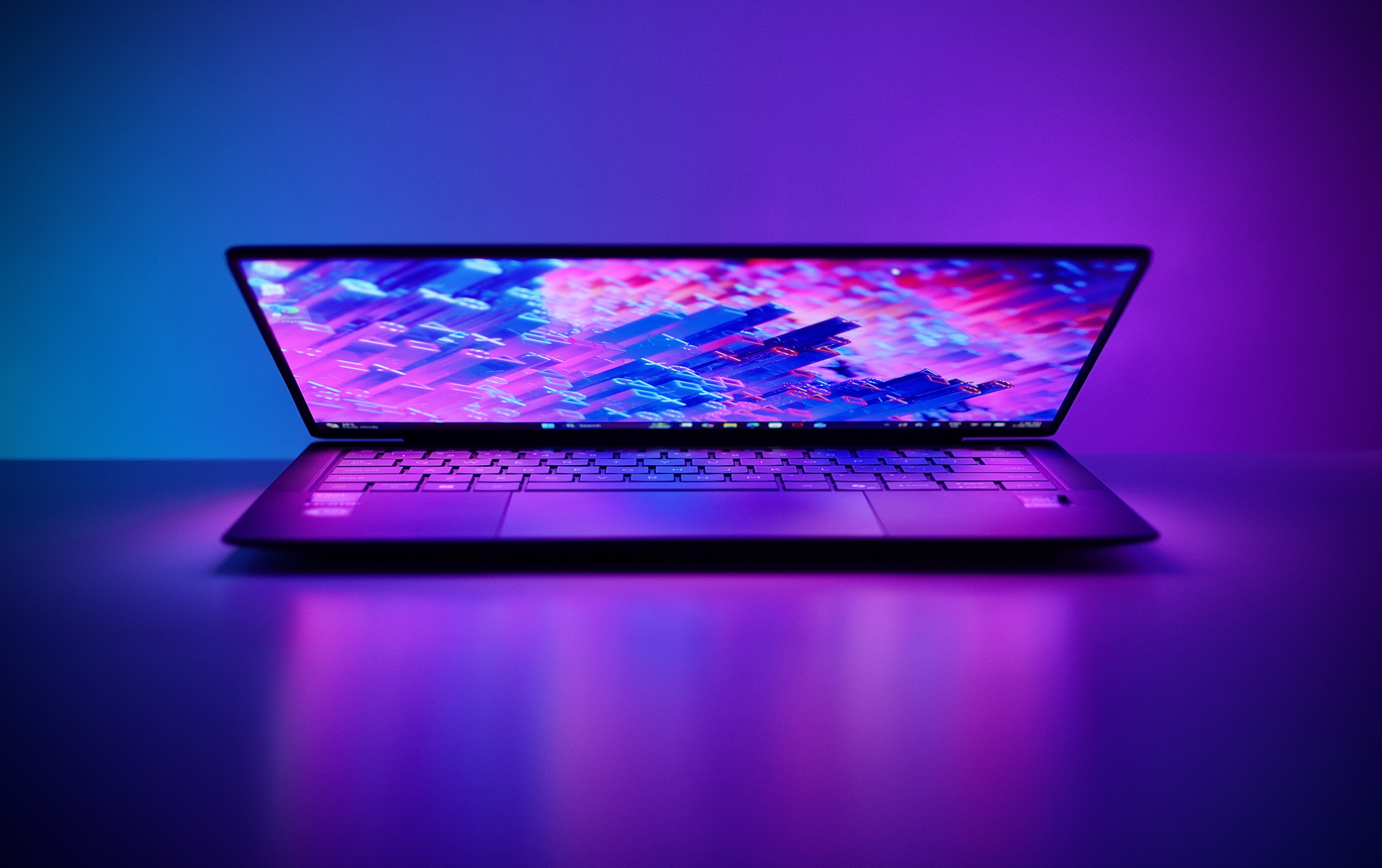
The design is clean and minimalist, steering away from the flashy aesthetics you’d find on gaming laptops. It’s professional enough for the office yet understated enough to blend in anywhere. The lid features a simple reflective “Zenbook” inscription, and the overall look feels premium without being ostentatious.


Port selection is generous for such a thin laptop. On the left side, you get two USB 4.0 Gen 3 Type-C ports that support display output and power delivery with data speeds up to 40Gbps. There’s also a full-size HDMI 2.1 TMDS port and a 3.5mm combo audio jack. On the right side sits a USB 3.2 Gen 2 Type-A port. For wireless connectivity, it supports Wi-Fi 6E and Bluetooth 5.3. It’s a solid lineup that covers most use cases without requiring a dongle for every little thing.

The 14.0-inch WUXGA (1920 x 1200) IPS display features a 16:10 aspect ratio, 60Hz refresh rate, and 400 nits brightness. It covers 100% sRGB, which means colors look accurate and natural. The resolution is decent for the screen size, and I found the display quality to be good and bright enough for indoor use. Viewing angles are solid too, so you won’t see color shifting when sharing your screen with someone beside you. The screen is also TÜV Rheinland-certified for eye comfort, which is a nice touch for long work sessions. With a 90% screen-to-body ratio, the bezels are minimal and contribute to the laptop’s modern look.


The top bezel houses an IR camera with Windows Hello support for quick logins, though there’s no privacy shutter built in. The speakers are located underneath and deliver decent audio. They’re not amazing, but they don’t sound cheap either. For video calls, YouTube, or Netflix, they’ll get the job done without any complaints.


The backlit chiclet keyboard features 1.3mm key travel and large, well-spaced keys. It’s quiet when typing, so you won’t disturb others in a library or quiet office. The backlight has three levels of brightness and is sufficiently bright. The precision touchpad is large, smooth, and the clicks don’t feel flimsy. It’s responsive and supports Windows gestures without any issues. There’s also a dedicated Copilot key for quick access to Microsoft’s AI assistant.

Powering the Zenbook A14 is the Snapdragon X X1 26 100 processor with a Qualcomm Hexagon NPU capable of up to 45 TOPS, paired with Qualcomm Adreno GPU, 16GB LPDDR5X RAM, and a 512GB M.2 NVMe PCIe 4.0 SSD. This configuration is designed for light to moderate workloads. Students and office workers will handle daily tasks without breaking a sweat. Web browsing with multiple Chrome tabs, Microsoft Office apps (it comes with Office Home 2024 and Microsoft 365 Basic), video calls on Teams or Zoom, and even light photo editing on apps like Canva or Photoshop will run smoothly.
However, this is an ARM-based processor, which is where things get complicated as you might still encounter compatibility issues with certain software. Apps that rely on hardware drivers may not work at all or have issues with efficiency. The good news is that popular productivity apps like Chrome, Edge, Spotify, Discord, Zoom, and most Microsoft Store apps either have native ARM versions or run well through emulation. Creative apps like Photoshop and Lightroom work fine for light editing, though heavy video editing on apps like Premiere Pro or After Effects will push this laptop beyond its comfort zone. The Snapdragon X X1 26 100 is capable for everyday tasks but not built for intensive workloads. As for gaming, the Adreno GPU can play older games and indie titles at lower resolutions, but don’t expect to run modern AAA games smoothly.

Where the Zenbook A14 truly excels is battery life. It’s packed with a 48WHrs, 3S1P, 3-cell Li-ion battery that delivers over 20 hours with moderate tasks like web browsing, document editing, and media streaming. That’s more than a full workday without needing to hunt for a power outlet. Even with heavier use, you’re looking at 7-8 hours of continuous work. This kind of endurance is something Intel and AMD laptops in this weight class struggle to match. The compact 65W USB-C mini charger can top up the battery relatively quickly when you do need a charge.

The ASUS Zenbook A14 (UX3407), priced at PHP 65,995, is a featherweight ultrabook built for portability and endurance. At just 0.90 kg with over 20 hours of battery life, it’s perfect for students, remote workers, and business travelers who spend most of their day on the move doing light productivity work. The premium build quality, comfortable keyboard, decent display, and solid port selection make it a reliable daily driver for web browsing, document editing, video calls, and light creative tasks. If you can work your around possible compatibility issues, this laptop offers excellent value if extreme portability and all-day battery life are your top priorities.